





Health Summary Quick Tips
Q: What is a Health Summary?
A: A health summary is a summary of the care you have received at a specific facility.
Q: Where can I find my Health Summary?
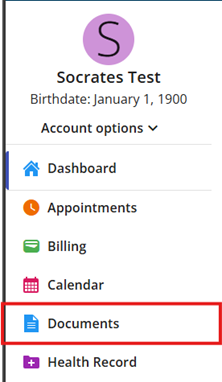
A: You can find your health summary by first selecting the “Documents” button from the left side of the Home Screen.
Q: What can I do with a Heath Summary?
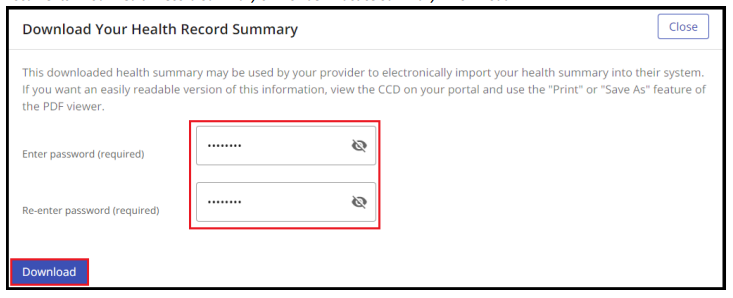
A: You can print, download, or transmit your health summary to any non-Willis-Knighton Provider.
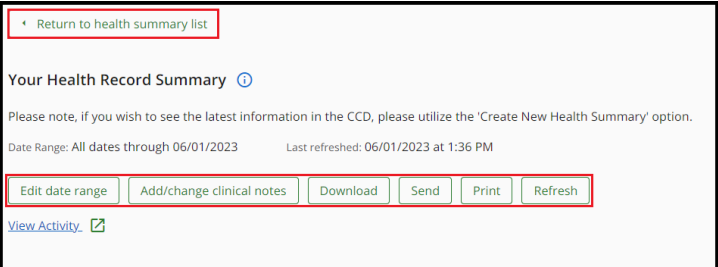
Follow the directions listed on your screen.
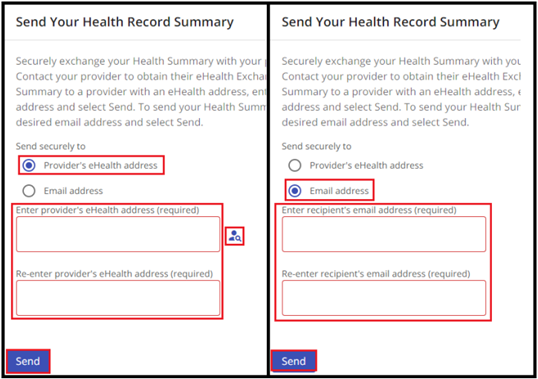
Q: How do I transmit my Health Summary?
A: Open your Health Summary and Select “Send”
Q: How up to date is my Health Summary?
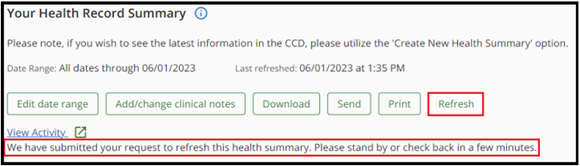
A: Your health summary will automatically compile new information every 24 hours. To manually update your health summary, select the “refresh” button.
The time it takes to generate a new Health Summary is based on the amount of information that needs to be pulled into the CCD. Once the new CCD has been compiled, the user sees the same header with the “Created On” date and time updated.